 Lockleaf
A library that feels like yours
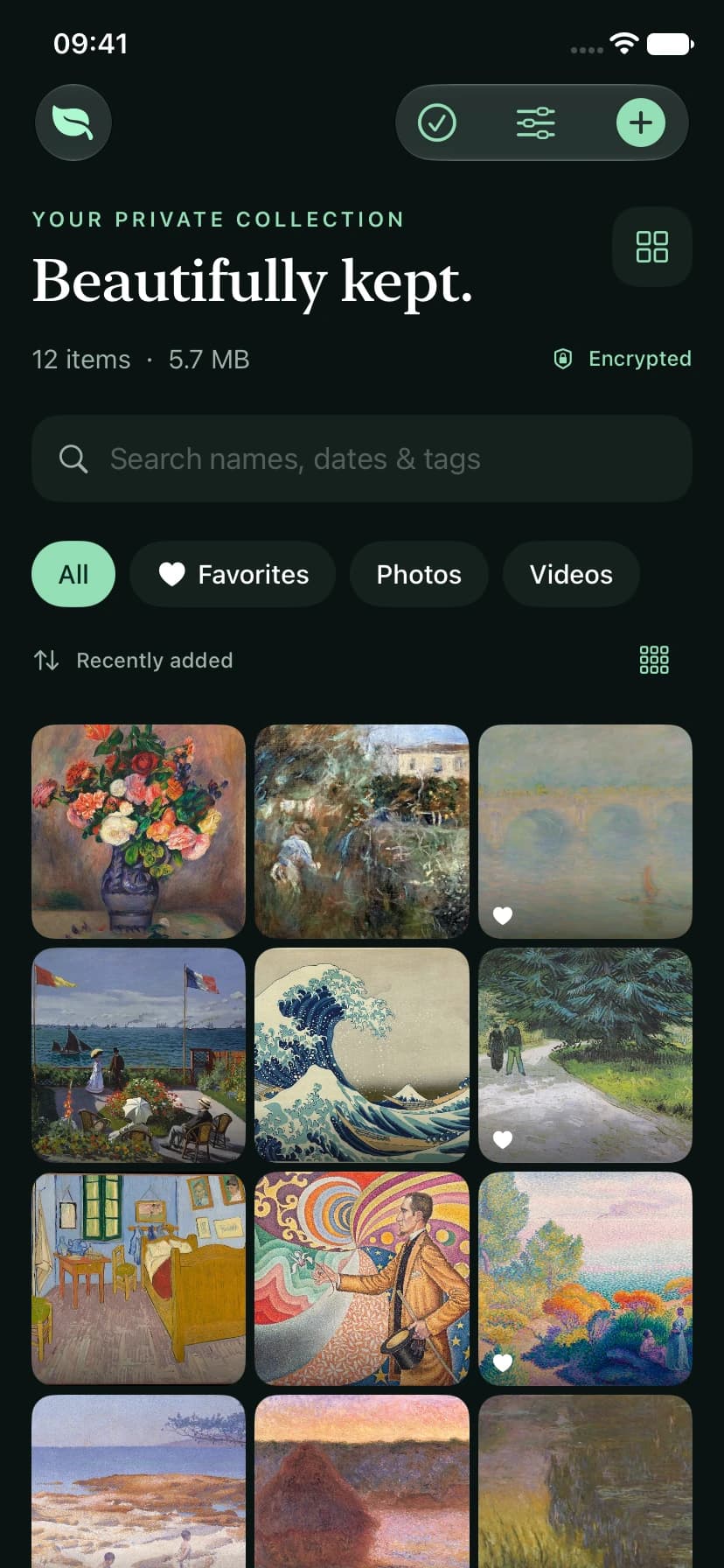
Search filenames, albums and tags. Save favorites, change the grid density, and keep collections neatly arranged.
YOUR PRIVATE PHOTO VAULT
Keep personal photos and videos in a beautifully simple, encrypted space. Close the door. Keep the memories.
No Lockleaf account. No ads. No tracking.
AVAILABLE NOW · 1.1 UPGRADE PREVIEW
Version 1.0 is available on the App Store. This page previews the 1.1 upgrade; new features apply after that update becomes available.
A MORE CONSIDERED EVERYDAY
The 1.1 upgrade gives your library more room to breathe, with clearer controls and practical ways to protect the things you keep.
Search filenames, albums and tags. Save favorites, change the grid density, and keep collections neatly arranged.
Create a password-protected backup and save it through Files. Preview and verify it before merging it into an unlocked vault.
Choose a longer PIN or passphrase and an optional recovery key. Changing a real or decoy password keeps its existing contents.
Import photos, video and paired Live Photo resources. Clear progress and retry options show what made it safely into your vault.
Deleted items stay encrypted in Recently Deleted for 30 days. Restore a mistake, or explicitly remove it permanently.
Make a still-photo copy without location metadata, cover sensitive areas and add a watermark. Preview it before sharing.
DESIGNED AROUND YOUR PHOTOS
Albums, favorites and search stay close at hand. Select, move and export with clear actions and a visible selection count.
Lockleaf 1.1 preview · demonstration content
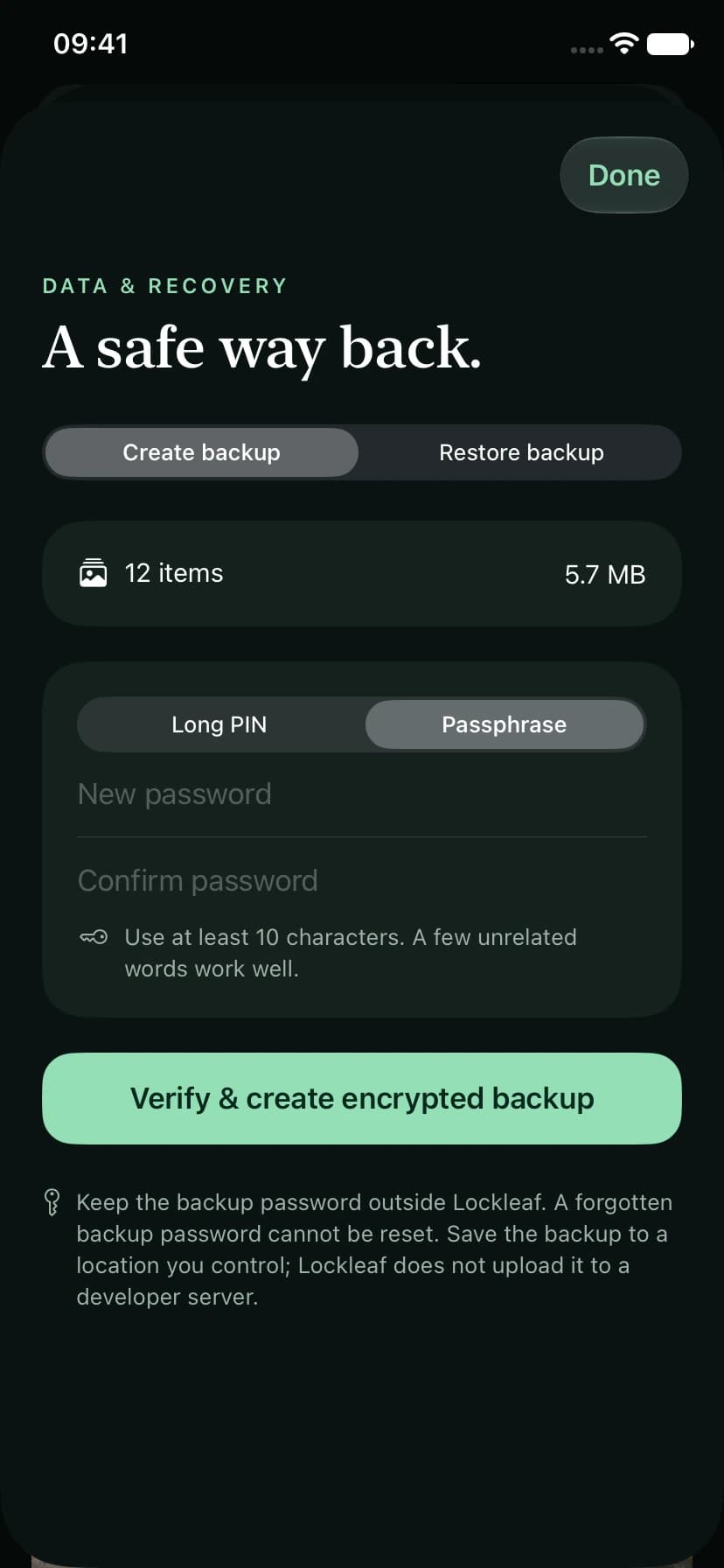
See what a backup contains before restoring. Existing items stay in place and exact duplicates are skipped.
Lockleaf 1.1 preview · demonstration content
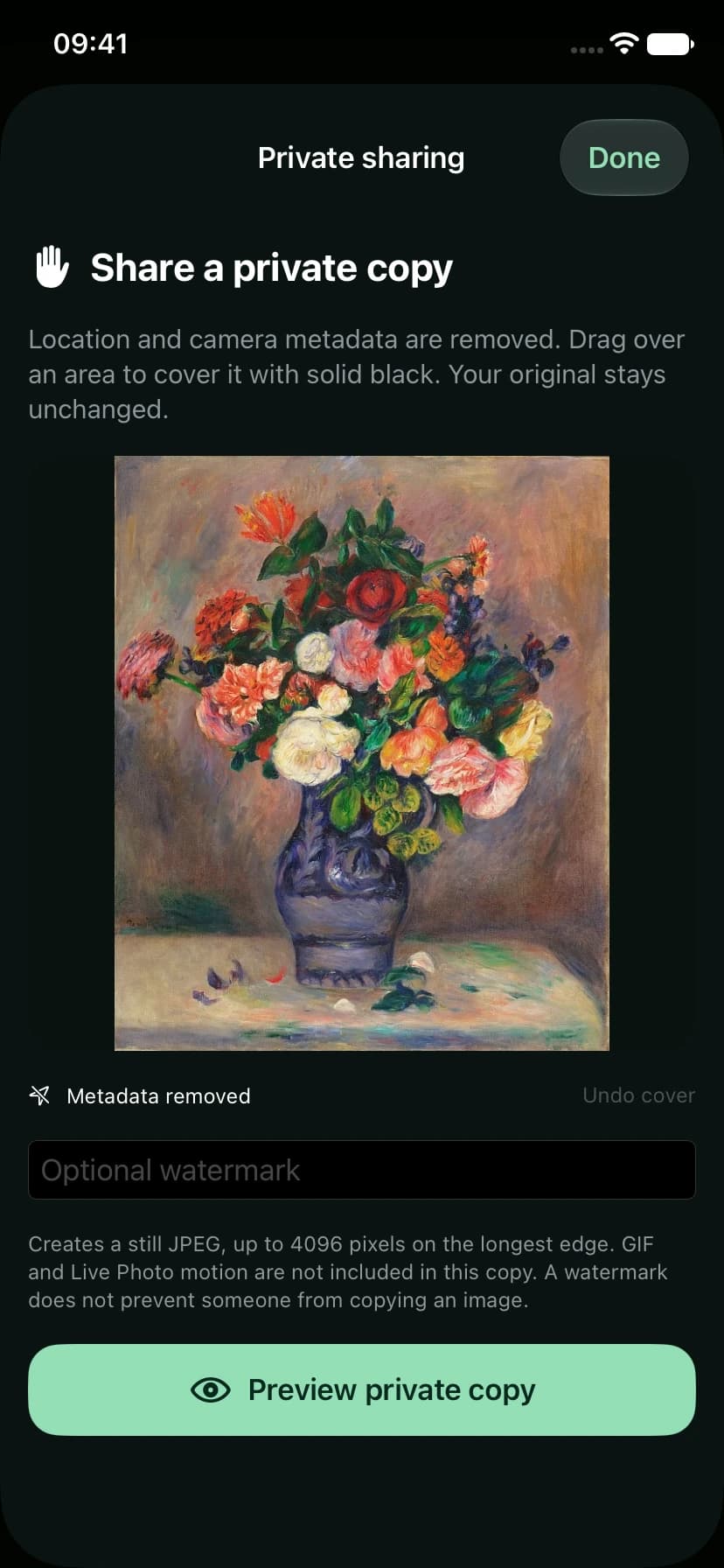
Keep the original, or share a deliberately prepared still JPEG. GIF and Live Photo motion remain in your original; they are not included in that edited copy.
Lockleaf 1.1 preview · demonstration content
PRIVATE BY DESIGN
Photos, thumbnails and the library catalogue are encrypted on your device. Lockleaf does not send them to a developer server.
You choose whether to save an encrypted backup to iCloud Drive, another Files provider or a separate device. This is a file you control, not automatic Lockleaf cloud sync.
Read the privacy policyChoose Lockleaf in the iOS share sheet. Supported files wait in an encrypted inbox; open Lockleaf, unlock, and choose the destination album. Pending shares are cleared after seven days when cleanup next runs.
Open and unlock Lockleaf once to enable the extension. Sharing to the inbox does not delete the source or complete a vault import.
The free vault holds up to 25 items. Pro adds unlimited capacity, the decoy vault, private camera and a record of incorrect password attempts.
Monthly, annual and lifetime options are shown with your App Store’s current price in the app. Existing files remain exportable without an active subscription.